
Small HOA vs. Large HOA: Which Software Do You Actually Need?
A 40-unit volunteer HOA and a 500-unit managed community have very different software needs. Here's how to match your situation to the right tools.
Most HOA management software is designed for the biggest end of the market: large communities with paid property managers, dedicated accounting staff, and budgets that can absorb enterprise pricing. If you're a volunteer board member managing a 60-unit neighborhood, that software wasn't built for you — and using it will feel like it.
The good news is that the things that make small HOA management hard are different from what makes large HOA management hard. Matching your software to your actual situation saves money, time, and a lot of frustration.
The Real Dividing Line Isn't Unit Count
The instinct is to sort HOAs by size: under 100 units is "small," over 500 is "large." But the unit count matters less than how the HOA is managed.
Self-managed HOAs run on volunteer labor. The Treasurer has a day job. The board President answers emails at night. Nobody is a professional property manager. The board changes every few years, and institutional knowledge walks out the door when it does. The software needs to be simple enough that a new board member can figure it out without training.
Professionally managed HOAs have a management company or dedicated staff handling day-to-day operations. Those people are paid to learn and use software — complexity is an acceptable tradeoff for feature depth. They're also billing their time to the HOA, so there's less pressure to optimize for speed.
A 200-unit self-managed community has more in common with a 40-unit one than with a 400-unit community that has a full-time manager. That's the cut to make when evaluating software.
What Professionally Managed HOAs Need (That You Probably Don't)
Enterprise HOA platforms are built to solve professionally managed HOA problems. Those problems are real — they're just not yours.
Multi-community dashboards. Management companies oversee dozens or hundreds of associations simultaneously. They need to switch between communities, aggregate reporting, and manage staff assignments across a portfolio. A single-community board has no use for this.
Deep accounting integrations. Large HOAs run general ledgers, work orders, vendor payment processing, and audit trails that need to sync with QuickBooks or Yardi. A volunteer Treasurer managing a $150,000 annual budget needs clear financial reporting — not a full accounting system.
Staff and permission hierarchies. Management companies need to control what different employees can see and do. Volunteer boards typically have a handful of people who all need roughly the same access.
Custom workflow builders. Enterprise software often lets you configure approval chains, custom fields, and automated escalation rules. That flexibility comes at a cost: someone has to configure and maintain it. A volunteer board is better served by sensible defaults that work out of the box.
What Every HOA Needs, Regardless of Size
Strip away the enterprise features and you're left with the core functions that every HOA — 30 units or 3,000 — actually has to manage:
Dues collection and payment processing. Residents need a simple way to pay online. The board needs real-time visibility into who's paid and who hasn't, automated reminders for late accounts, and a clear audit trail. Manual collection via check and spreadsheet is the single biggest time sink for small HOA boards.
Violation tracking. Documented notices, photos, resolution timelines, and the ability to show a consistent enforcement history. Without this, you have legal exposure.
Maintenance requests. A single place where requests are logged, assigned, and tracked to resolution. No more lost emails or disputes about whether something was ever reported.
Document storage. CC&Rs, meeting minutes, financial statements, vendor contracts — all accessible to current board members and, where appropriate, residents. The alternative is documents living on someone's personal computer and disappearing when they leave the board.
Resident communication. Announcements, meeting notices, and targeted messages. Email plus a resident portal covers most HOAs' needs.
The Hidden Cost of Over-Built Software
The pricing on enterprise HOA software is usually structured around per-unit fees, add-on modules, and annual contracts. A 60-unit community paying per-unit fees for a platform built for 600 is overpaying by an order of magnitude.
The bigger hidden cost is time. Complex software requires configuration, training, and ongoing maintenance. When your board turns over — and it will — whoever inherits the system needs to learn it. Software that requires a two-hour onboarding call every time you get a new Treasurer is a recurring tax on your board's bandwidth.
Over-built software also tends to add friction to routine tasks. If paying an invoice or sending an announcement requires navigating five screens, board members find workarounds. The workaround is usually a spreadsheet. You're back where you started.
What to Look for in Small HOA Software
For a self-managed HOA, the right software clears a short bar:
Predictable pricing, not per-unit fees. Some platforms charge per resident or per unit. That means your bill grows every time the community adds a household. Look for tiered pricing based on community size — a flat rate per tier — so costs are predictable and don't scale with every new move-in.
Fast onboarding. A new board member should be able to get up to speed without vendor training. If the software requires a demo call before you can start, that's a signal.
Online payments built in. Dues collection is the highest-value thing software can automate for a small board. It should be core functionality, not an add-on.
Sensible defaults. The most common workflows — sending a violation notice, logging a maintenance request, posting an announcement — should work without configuration.
No feature debt. Every feature you're paying for but not using is a line item on your budget and a source of interface clutter. Simpler is faster.
Key Takeaways
The right HOA software isn't the most powerful option — it's the one that fits how your community is actually run.
- The relevant divide is self-managed vs. professionally managed, not unit count
- Enterprise platforms solve enterprise problems; most small HOA boards won't touch half the features
- Dues collection, violation tracking, maintenance requests, documents, and communication cover 90% of what a self-managed board needs
- Per-unit pricing and complex onboarding are red flags for volunteer-run communities
- Over-built software creates friction that drives boards back to spreadsheets
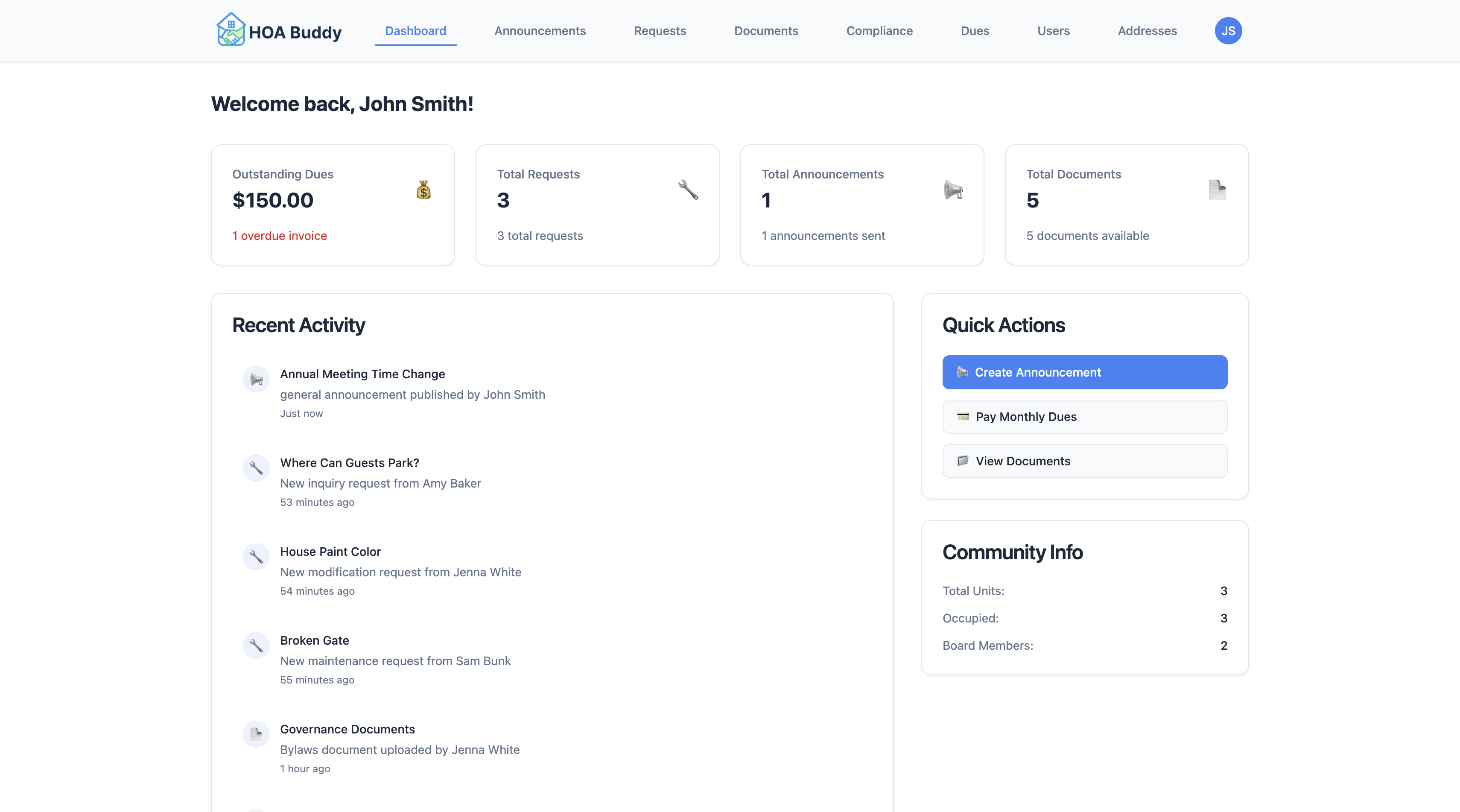
HOABuddy is built specifically for self-managed HOAs — tiered pricing with no per-unit fees, and a setup process that takes minutes, not days. Every new HOA gets a 30-day free trial with full access; your card is collected at signup but not charged until the trial ends, and you can cancel before then.
See how HOABuddy is designed for small, self-managed communities →
Ready to simplify HOA management?
HOABuddy handles dues collection, resident communication, maintenance tracking, and more — free for 30 days.
Start Free TrialLearn more about Small HOA Management Software →